

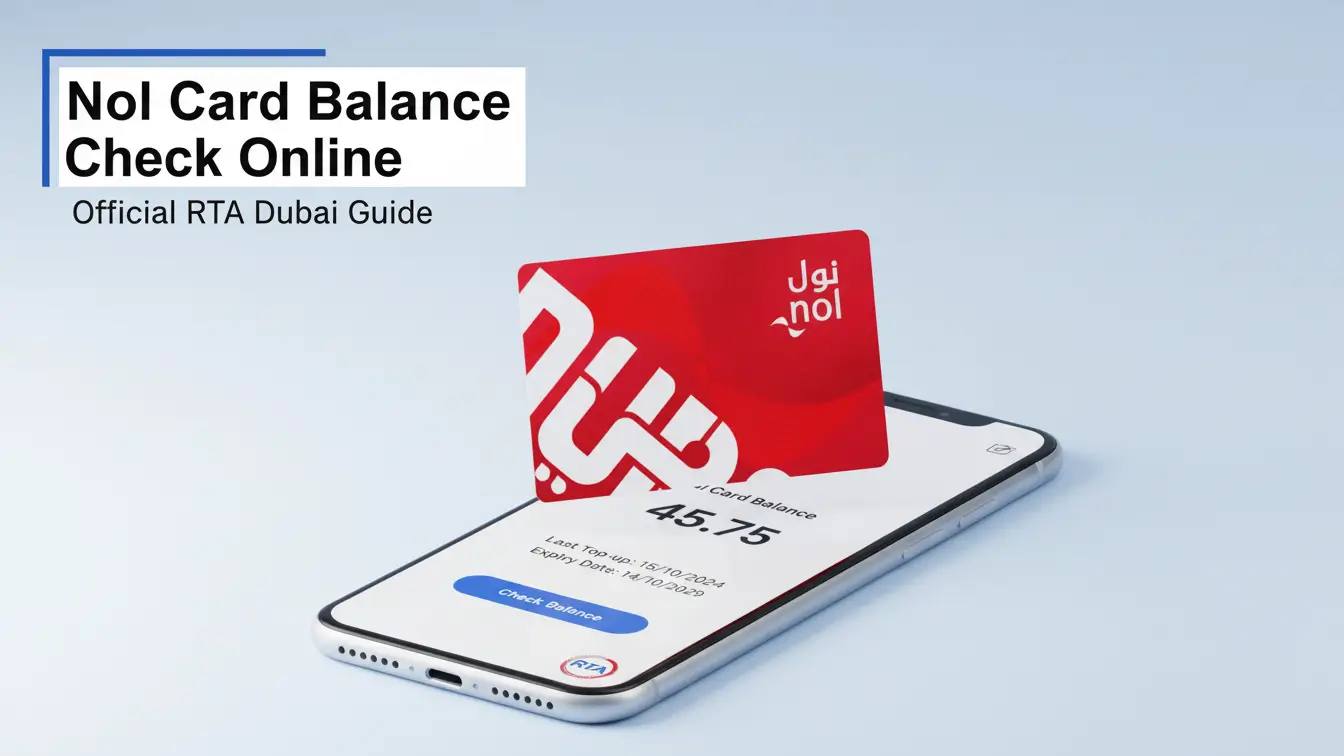
Keeping your NOL Card balance updated is essential for smooth travel across Dubai Metro, RTA buses, and Dubai Tram, all operated by RTA Dubai. Doing a quick NOL Card Balance Check Online ensures you always know your available funds, helping you avoid interruptions whether you commute daily or travel occasionally.
In 2026, RTA Dubai offers multiple quick ways to perform a NOL Card balance check, including SMS, the official RTA website, the RTA mobile app, metro station machines, and service centers. This guide explains each method so you can choose the most convenient option anytime.
NOL Card Balance Check Online
Checking your NOL Card balance online is quick and simple. You can do it through the official RTA Dubai website by following a few easy steps.
Step 1: Enter Your NOL Card Tag ID
Look at the back of your card and enter the 10-digit NOL Card Tag ID in the given field. Make sure the number is correct.
Step 2: Submit the Form
Once the ID is entered, click the “Check NOL Card Balance” button. This will start the balance check process.
Step 3: View Your Balance
You’ll be taken to the RTA website, where you need to click on “Check nol Balance”, enter your NOL Tag ID, and press “Search”. Your available balance will appear on the screen.
Keeping track of your NOL Card balance helps you travel without delays on the Dubai Metro, RTA buses, Dubai Tram, and other public transport services. You can also check your balance and recharge your NOL Card online using the RTA website or the RTA Dubai mobile app, making daily travel in Dubai easier and stress-free.
NOL Card Balance Check via RTA Website
The NOL Card makes traveling around Dubai easy, whether you’re using the Dubai Metro, RTA buses, or even paying for parking. But to avoid any travel issues, it’s important to know how much balance is left on your card.
Below is a simple step-by-step guide to check your NOL Card balance online using the official RTA Dubai website:
Step 1: Visit the RTA Dubai Website
Open your browser and go to the official Roads and Transport Authority (RTA Dubai) website.
Visit Site : RTA Dubai
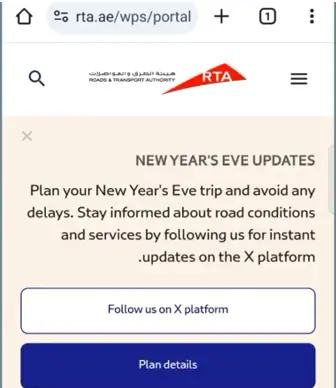
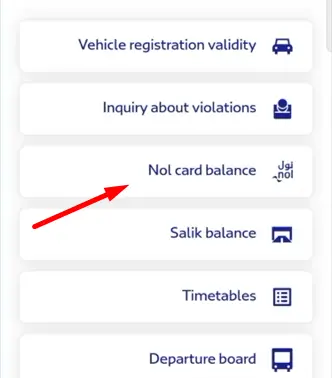
Step 2: Find the “Check nol Balance” Option
On the homepage, look for the “Check nol Balance” service. This is the section where you can view your card details.
Step 3: Enter Your NOL Card Tag ID
Enter your 10-digit NOL Tag ID in the required field. You can find this number printed on the back of your NOL Card.
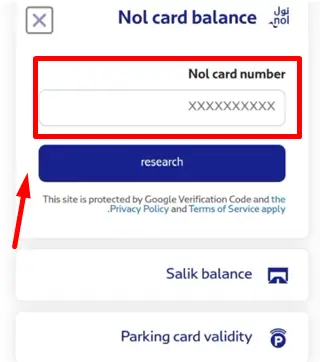
Once submitted, your NOL Card balance will appear on the screen, helping you travel smoothly across Dubai’s public transport system without any interruptions.
Learn More About Dubai Info
Check NOL Card Balance via SMS
If you don’t have internet access, you can easily check your NOL Card balance via SMS using the RTA Dubai SMS service. Just follow these simple steps on your mobile phone.
Step 1: Open Your Messaging App
Open the SMS or messaging app on your smartphone.
Step 2: Enter Your NOL Card Tag ID
Type your 10-digit NOL Card Tag ID in the message body. You can find this number on the back of your NOL Card.
Step 3: Send the SMS to 511
Send the message to 511, which is the official RTA Dubai SMS number.
Step 4: Registration Confirmation
Once sent, your mobile number will be registered with RTA Dubai for the SMS service.
Step 5: Check Your NOL Card Balance
Whenever you want to check your balance, simply send BAL to 511. You’ll receive an SMS showing your current NOL Card balance.
This SMS method is a quick and convenient way to perform a NOL Card balance check without using the internet, making it ideal for users who prefer simple and fast access to their balance details.
Check NOL Card History
The NOL Card is a smart travel card used across Dubai’s public transport system, including the Dubai Metro, RTA buses, Dubai Tram, and water buses. Checking your NOL Card transaction history allows you to see complete details of your past trips, recharge amounts, and travel dates, all in one place.
Below is a simple step-by-step guide to help you check your NOL Card history online:
- Visit the NOL Card Transaction History page on the RTA Dubai website.
- Enter your NOL Card Tag ID in the required field.
- Complete the human verification step.
- Click on the “Next” button to view your transaction history.
This feature helps you track your travel activity, manage your balance better, and stay in control of your daily journeys across Dubai.
Check NOL Card Balance at Metro Stations
Checking your NOL Card balance at Dubai Metro stations is fast and hassle-free. Every metro station has self-service ticket machines and kiosks where you can easily check your balance before starting your journey.
Simply tap your NOL Card on the card reader at the kiosk, and your current balance will appear on the screen within seconds. These machines not only show your available balance but also allow you to top up your NOL Card on the spot, making them a convenient all-in-one solution for daily commuters and travelers in Dubai.
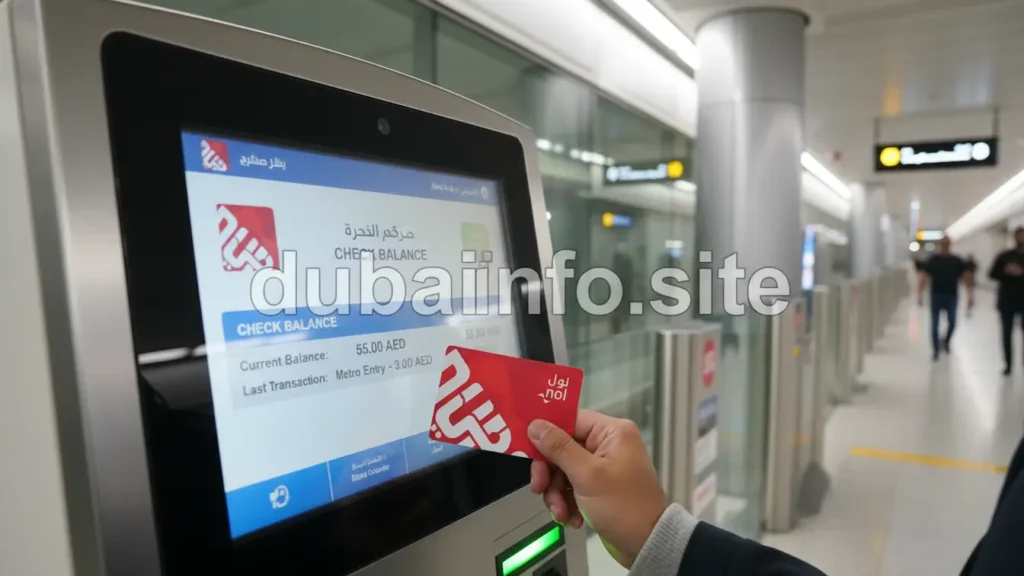
You can quickly check your NOL Card balance at any Dubai Metro station using the ticket machines or dedicated balance inquiry kiosks. Here’s a simple step-by-step guide:
Step 1: Find a Machine
Go to any ticket vending machine or balance inquiry kiosk at the metro station.
Step 2: Tap Your NOL Card
Place your NOL Card on the card reader as instructed.
Step 3: View Your Balance
Your current NOL Card balance will be displayed instantly on the screen.
Step 4: Top Up if Needed
If your balance is low, you can recharge your NOL Card directly at the same machine.
Step 5: Continue Your Journey
Once your balance is confirmed or topped up, you can travel across Dubai Metro, RTA buses, or Dubai Tram without worry.
Ticket machines and kiosks at metro and bus stations make checking your balance easy and convenient. For further assistance, you can also visit any RTA customer service center across Dubai.
Check NOL Card Balance History via the RTA App
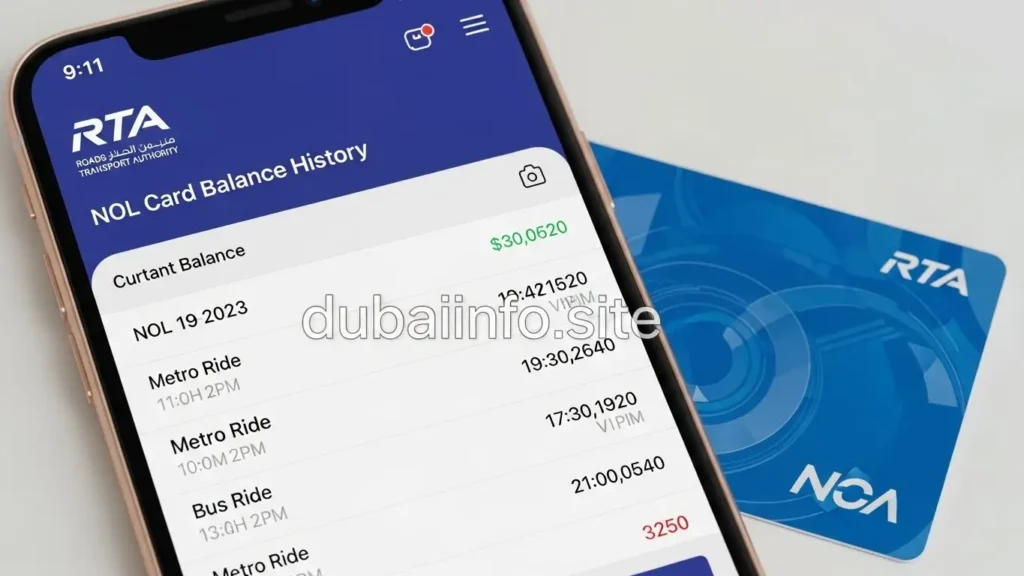
The RTA NOL App is a convenient way to check your NOL Card balance history while offering many other helpful features to make traveling in Dubai easier and more organized. Here’s a simple guide to view your NOL card transactions using the app:
Step 1: Download and Install the RTA NOL App
Make sure the RTA NOL App is installed on your smartphone. You can download it from the App Store (iOS) or Google Play Store (Android).
Step 2: Log In to Your Account
Open the app and sign in with your credentials. If you haven’t registered yet, create an account using your NOL Card number and other required details.
Step 3: Go to ‘My Account’
Once logged in, navigate to the ‘My Account’ or similar section in the app.
Step 4: Select ‘NOL Balance’
Here, you will find an option to check your NOL Card balance.
Step 5: View Transaction History
Look for ‘Transaction History’ or ‘Balance History’ to see all past transactions.
Step 6: Choose a Date Range
Select the time frame or date range for which you want to view your NOL Card transactions.
Step 7: Review Your Transactions
You will see a detailed list of credits (top-ups) and debits (fares) made using your NOL Card.
Step 8: Download or Save History (Optional)
Some versions of the app allow you to download or save your transaction history for future reference.
Step 9: Log Out
Always log out after checking your history, especially if using a shared or public device.
Using the RTA NOL App makes it easy to keep track of your balance, monitor your travel expenses, and manage your NOL Card efficiently, all from your smartphone.
Different Ways to Check Your NOL Card Balance in Dubai
There are multiple convenient ways to check the NOL Card balance in Dubai, making it easy for commuters and travelers to manage their funds and travel without interruptions.
1. RTA Dubai Website
Visit the official Roads and Transport Authority (RTA Dubai) website to log in to your NOL account. Here, you can check your balance and view your transaction history online.
2. RTA NOL Mobile App
The RTA Dubai app, available for Android and iOS, lets you check your NOL Card balance anytime, anywhere, through a simple and user-friendly interface.
3. Ticket Vending Machines
Ticket machines at metro stations, bus stations, and other key locations allow you to check your balance and top up your NOL Card instantly.
4. Customer Service Centers
Visit any RTA customer service center across Dubai for assistance with checking your NOL Card balance and other related services.
5. NOL Card Readers
NOL Card readers, installed at metro and bus stations as well as select retail outlets, display your current balance when you tap your card.
6. SMS Service
Send an SMS with your NOL Card Tag ID to the designated RTA number to receive your balance directly on your mobile phone.
7. Retail Outlets
Some authorized retailers and convenience stores equipped with NOL Card readers can provide both balance information and top-up services.
With these flexible options, checking your NOL Card balance is quick and easy, helping you stay prepared for travel across Dubai Metro, RTA buses, Dubai Tram, and other public transport services.
FAQs (Frequently Asked Questions)
Go to the official RTA website (www.rta.ae). Look for the “Public Transport” section, then click on “Nol” and select “Check Nol Balance.” Enter your NOL card’s Tag ID, which is the 10-digit number on the back of your card. Click “Search” or “Check Balance.
AED 7.50
Ensure you have a minimum balance of AED 7.50 on your card. Approach the gates of the Metro or the entrances of buses/marine transport. Place your nol Card on the card reader. Wait to hear a beep or look for the green light which signals a successful check-in.
Consequences of an Insufficient Nol Card Balance
Boarding Restrictions: You may be denied access to the bus if your card does not meet the required balance for the journey. Fines or Penalties: Attempting to board without sufficient funds could result in fines or penalties, depending on the city’s transport regulations
Can Two People Use One NOL Card? No, NOL cards are strictly intended for individual use only. Each traveler must have their own card to access Dubai’s public transportation system. For a NOL card balance transfer to another NOL card, you can visit authorized retail outlets in different parts of Dubai.
Over the phone
Most banks still offer telephone banking services, which allow you to check your account balance by phone. Call the phone number on the back of your debit card (you can also Google for your bank’s general number).
Conclusion:
Performing a NOL Card Balance Check Online through the RTA website is a quick and convenient way to stay updated on your card’s balance. Whether you’re checking your balance via the RTA website, the RTA mobile app, or even through SMS, keeping track of your NOL Card balance ensures smooth travel across Dubai Metro, RTA buses, and Dubai Tram.
Always make it a habit to do a NOL Card Balance Check Online before your trips to avoid running out of funds. And if you ever have questions about your balance, top-ups, or transaction history, feel free to leave a comment below – we’re here to help!